
Loyalty Chart widget allows you to see the positive (green) and negative (red) reasons of the same category grouped together for easy comparison.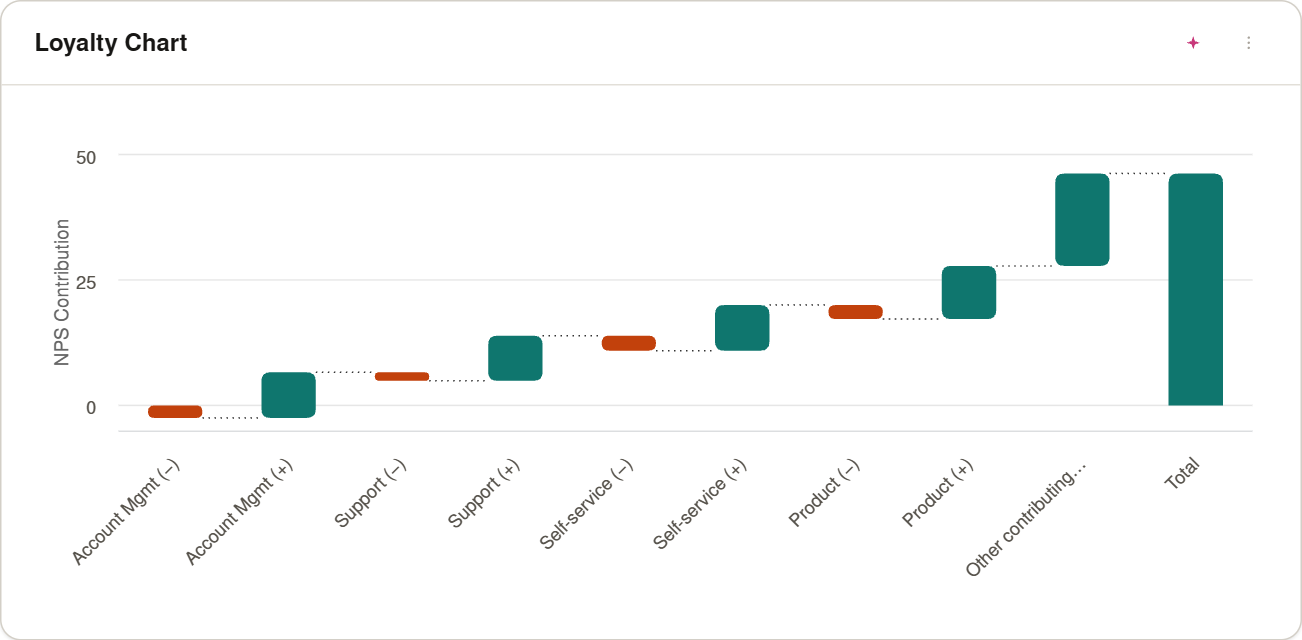
Widget notes:
- Drivers grouping by default is set to Individual drivers.
- Drivers to display by default is set to Only primary drivers.
- Limit by default is set to 10 drivers to reflect.
Adding the Widget:
Add the widget to your report clicking on New Widget and navigating to Drivers or searching for Loyalty Chart
Additional Settings:
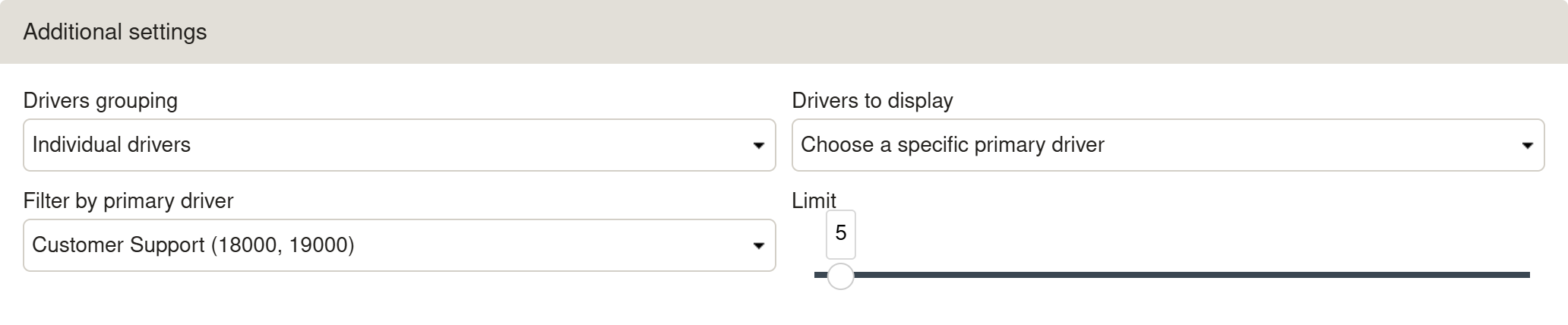
- Drivers grouping setting allows you to choose:
- Individual drivers;
- Combined drivers.
- Drivers to display setting haws 3 options:
- Only primary drivers;
- Only secondary drivers;
- Choose a specific primary driver (if you use this option you get additional setting - Filter by primary driver).
- Filter by primary driver setting allows you to choose one of the primary drivers you would like your data being filtered by.
- Limit: defines the number of drivers reflected per chart.