
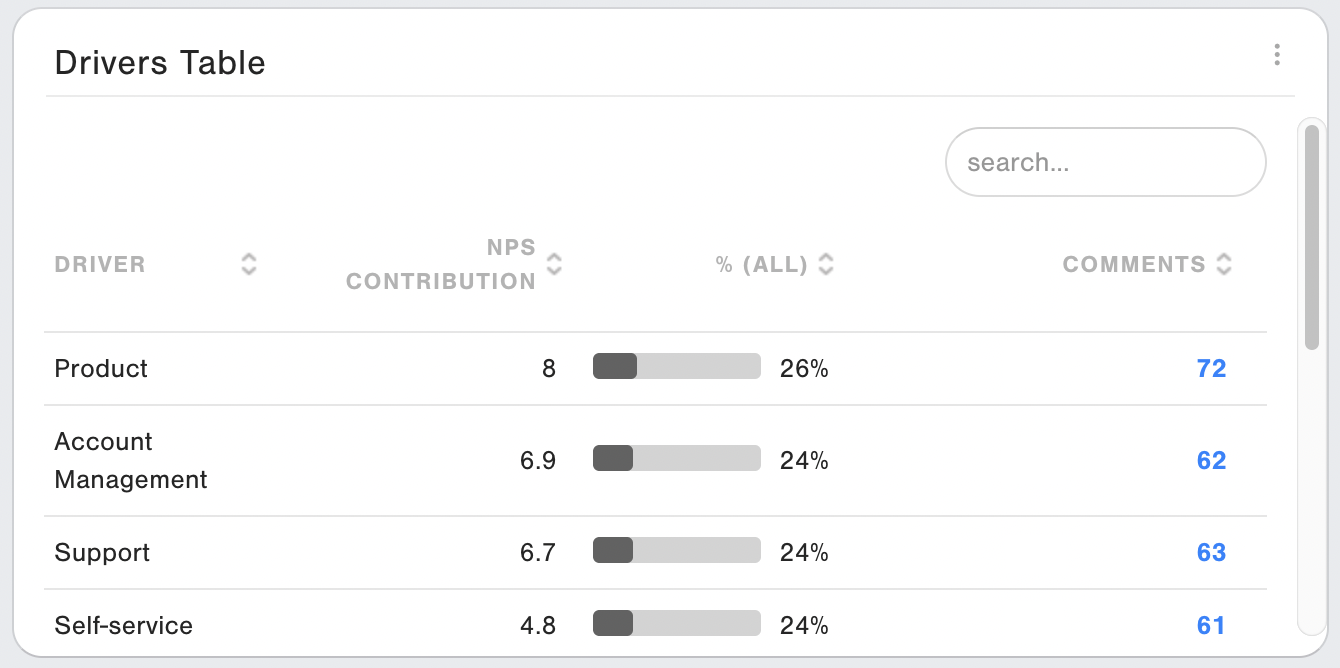
Drivers Table widget allows you to track the evolution of the NPS contribution for your Drivers individually in a Table View. You can choose to show Drivers Label, Reason Code, Category Label, Count, % Category, % All, NPS Contribution as columns.
Widget note:
- This widget has the data access restriction (show global data) option.
Adding the Widget
Add the widget to your report clicking on New Widget and navigating to Widget Type or searching for Widget Name
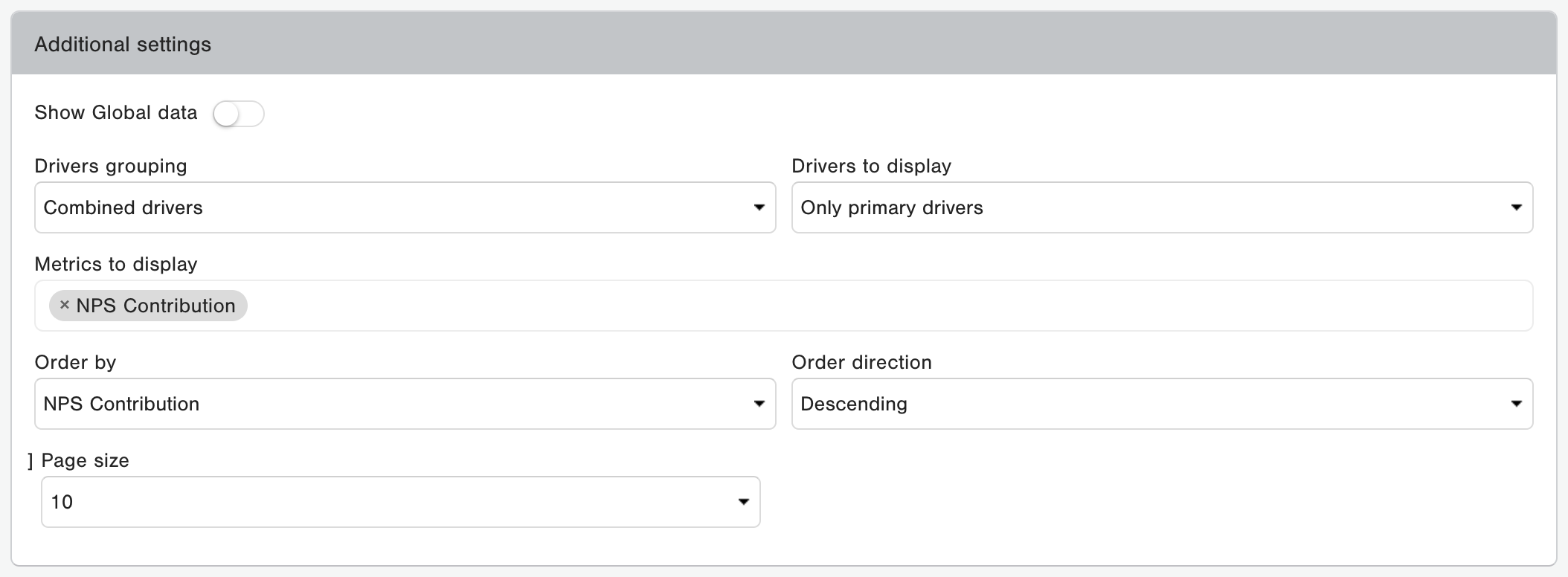
Additional Settings:
Drivers grouping
This setting allows you to choose Individual or Combined drivers.
Drivers to display
This setting allows you to choose Only primary drivers, Only secondary drivers or Choose a specific primary driver.
Metrics to display
Available choices are:
- NPS Contribution: This metric indicates how much each driver contributes to the overall NPS, it is based on a complex weight calculation based on drivers selected by the respondent and their loyalty.
- Category: This metric shows the Primary driver that a driver belongs to, it displays the reporting label of the primary driver.
- Count: This metric displays the amount of records that selected the driver.
- Level: This metric shows the level of the drivers, Level 1 drivers are the primary drivers, and Level 2 drivers are the secondary drivers.
- % (Category): This metric displays the rate that the driver was selected within the primary driver it belongs to, in other words, in its own category.
- Reason code: This metric shows the unique reason code of the driver.
- % (All): This metric displays the rate that the driver was selected across all primary drivers if its a primary drivers, or across all secondary drivers if its a secondary driver.
- Comments: This metric shows the count of responses that have an NPS Comment.
Order by
This setting allows you to order the segment values by any of displayed metrics and Driver.
Order direction
This can be set to either Ascending or Descending.
Page size
This setting allows you to choose how many values get displayed per page: 10, 25, 50, 100 or 250.